 Image 1 of 3
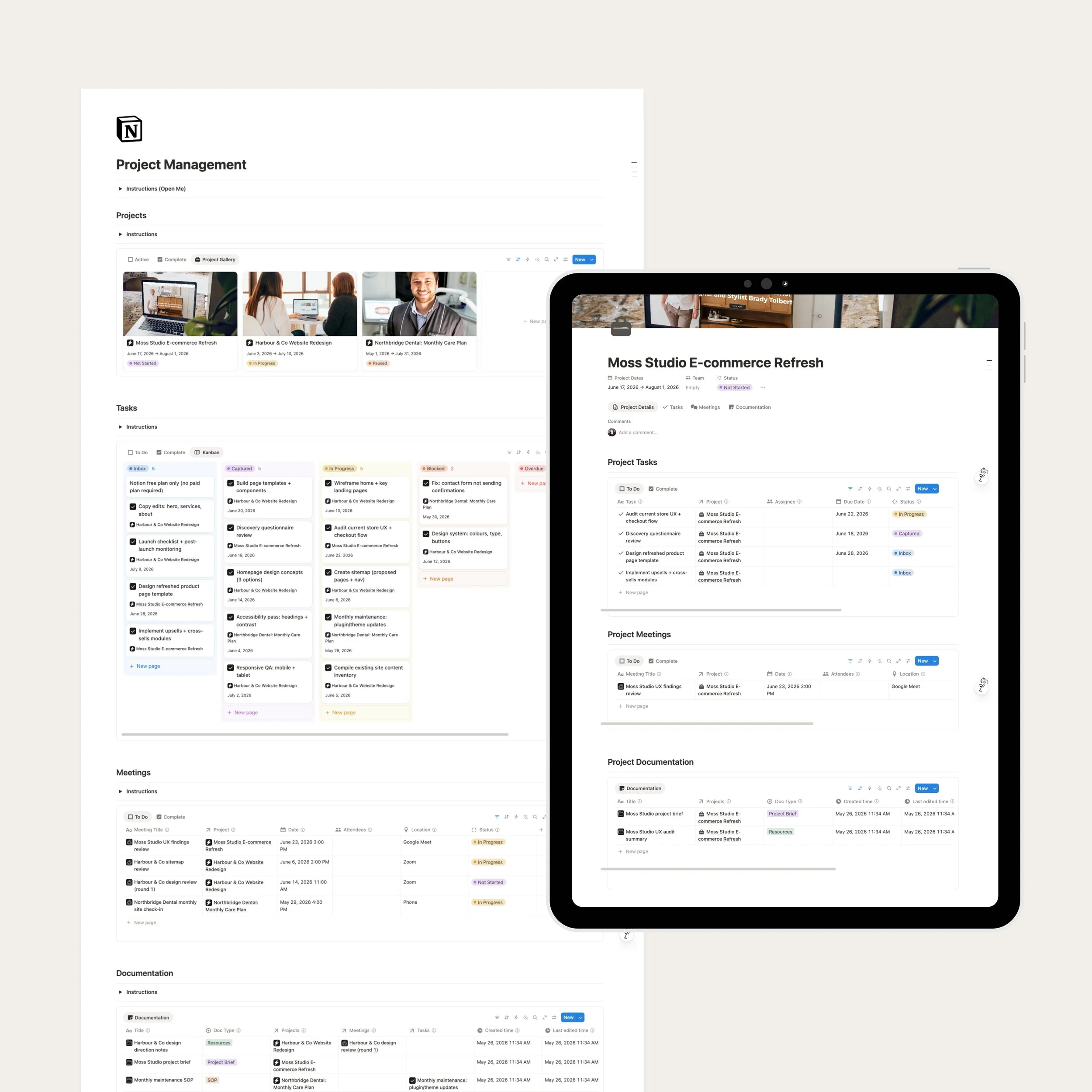 Image 2 of 3
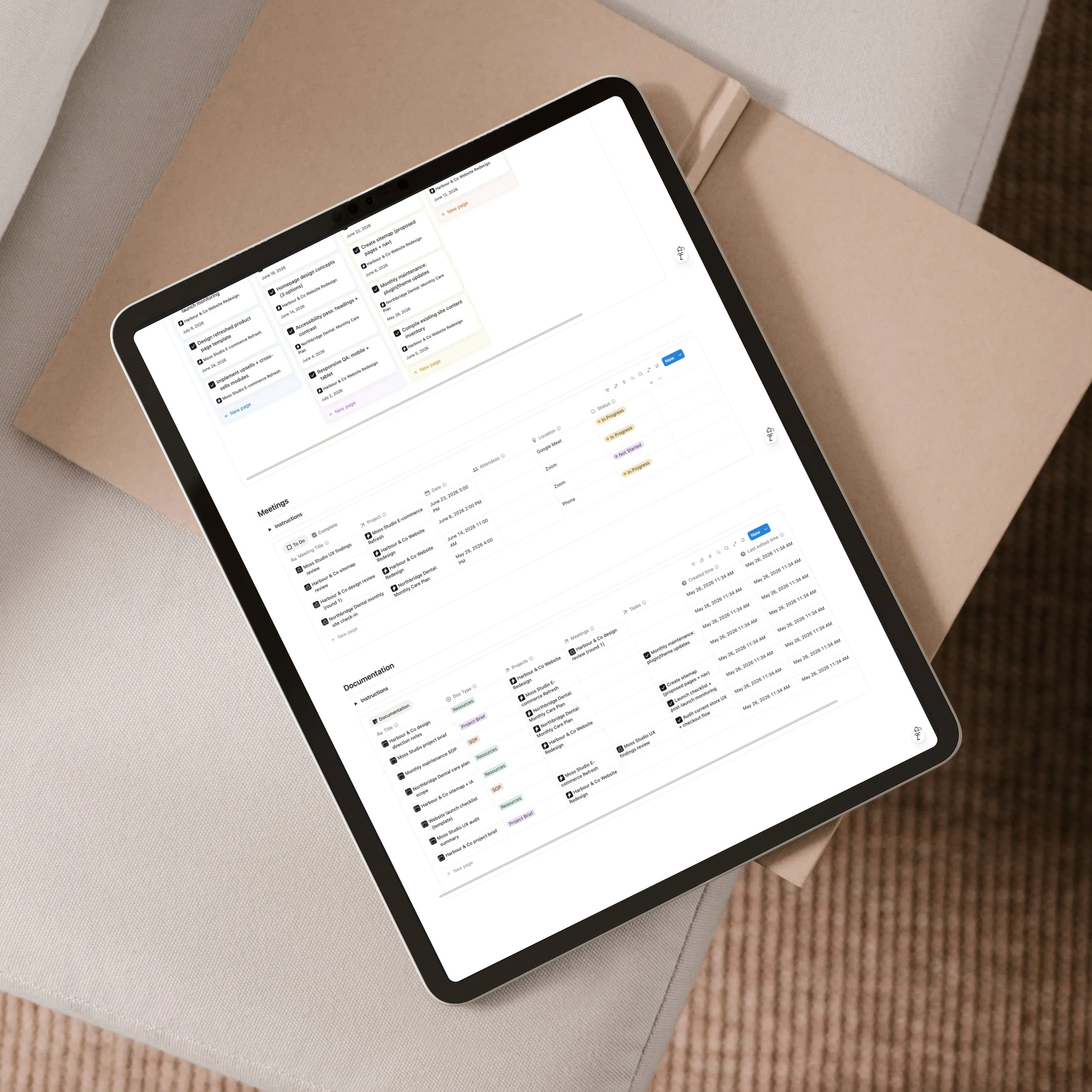 Image 3 of 3
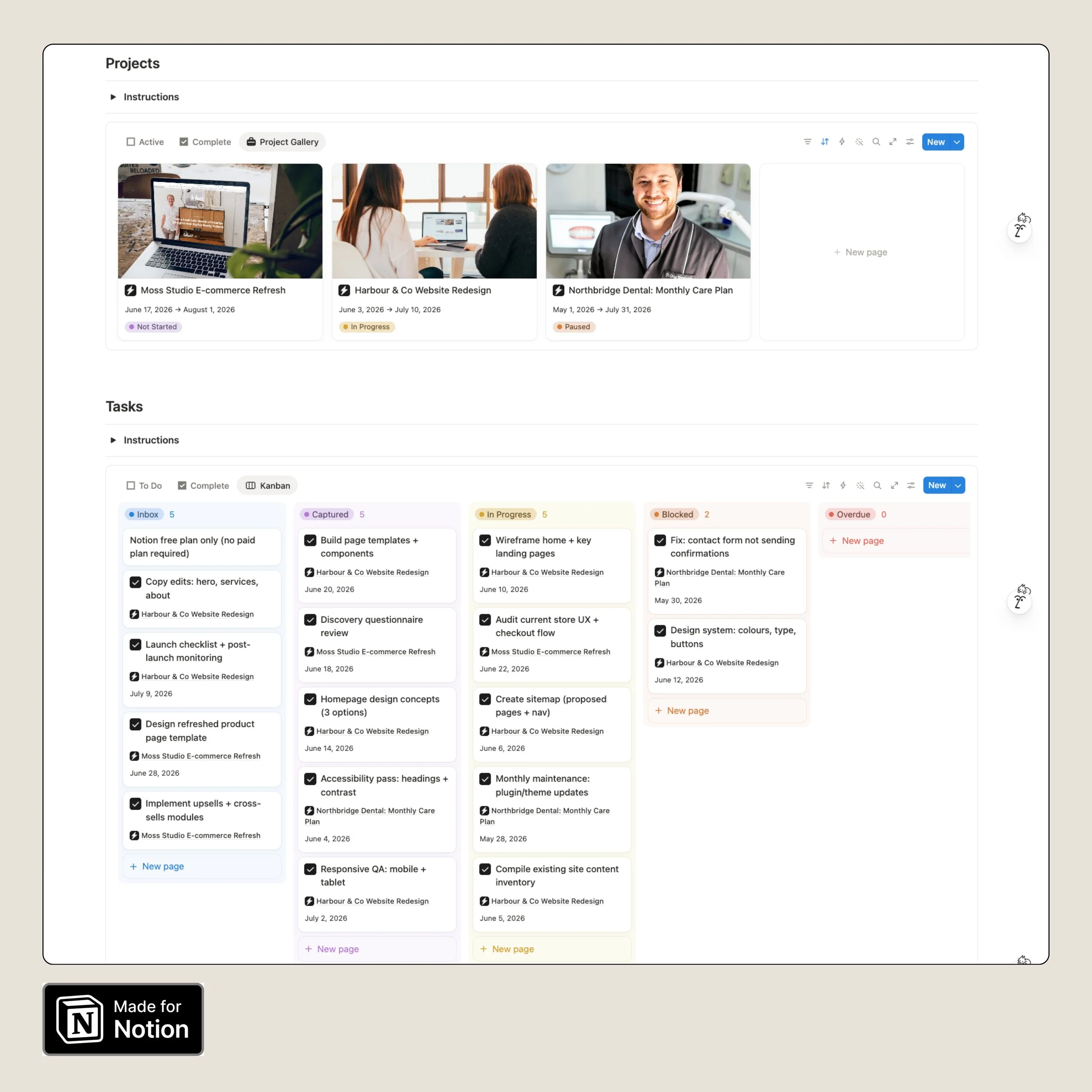
A simple project management system for Notion that keeps your projects, tasks, meetings, and documentation connected in one place. It’s designed for service-based work and small teams who want clarity without a heavy process. You can see what’s happening, what’s next, and what needs attention at a glance.
You’ll benefit from this template if:
You’re juggling multiple projects and want one place to see what matters now
Tasks keep slipping because meetings, notes, and docs live in different places
You want a simple weekly rhythm for staying on top of client work and internal projects
You want clarity without turning project management into a second job
Four connected databases: Projects, Tasks, Meetings, and Documentation
Built-in written instructions on each section so you always know what to do next
A clean project to task workflow so nothing falls through the gap between planning and execution
A place to capture meeting decisions and turn them into tasks, linked back to the relevant project
A documentation hub for briefs, SOPs (the steps you follow each time), and supporting resources
Notion free plan only (no paid plan required)
If you don’t yet have a Notion account, you can sign up here to access up to 6 months free. This includes Notion AI. (affiliate link)
Set up: Follow the written instructions inside the template to customise it for your business.
Use: Start managing your projects, tasks, meetings, and documentation in one connected system.
A simple project management system for Notion that keeps your projects, tasks, meetings, and documentation connected in one place. It’s designed for service-based work and small teams who want clarity without a heavy process. You can see what’s happening, what’s next, and what needs attention at a glance.
You’ll benefit from this template if:
You’re juggling multiple projects and want one place to see what matters now
Tasks keep slipping because meetings, notes, and docs live in different places
You want a simple weekly rhythm for staying on top of client work and internal projects
You want clarity without turning project management into a second job
Four connected databases: Projects, Tasks, Meetings, and Documentation
Built-in written instructions on each section so you always know what to do next
A clean project to task workflow so nothing falls through the gap between planning and execution
A place to capture meeting decisions and turn them into tasks, linked back to the relevant project
A documentation hub for briefs, SOPs (the steps you follow each time), and supporting resources
Notion free plan only (no paid plan required)
If you don’t yet have a Notion account, you can sign up here to access up to 6 months free. This includes Notion AI. (affiliate link)
Set up: Follow the written instructions inside the template to customise it for your business.
Use: Start managing your projects, tasks, meetings, and documentation in one connected system.